
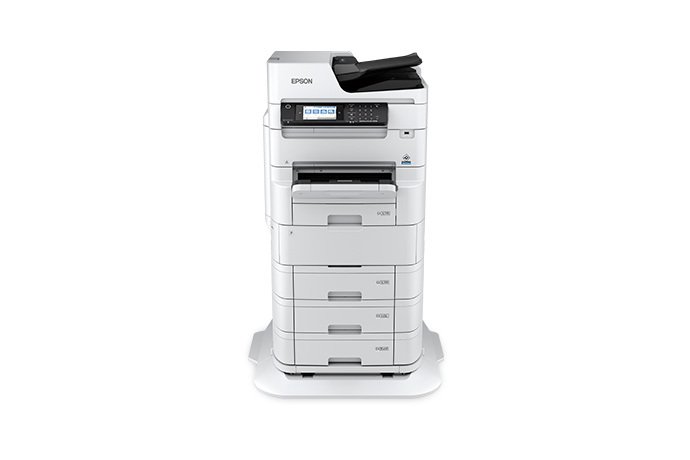
Epson WorkForce Pro

WF-C879R A3 Color Multifunction Printer

26 / 25 ppm
ISO print speed, black / color
Up to 100 ipm
Duplex scan speed
Up to 13" × 19"
Wide-format business printing
Epson WorkForce Pro WF-C879R configured with optional paper trays

A practical bridge between desktop printers and larger copier platforms

Its PrecisionCore Heat-Free print engine combines 26 ISO ppm black and 25 ISO ppm color output with a 150-sheet automatic document feeder, duplex scanning up to 100 images per minute, and a Replaceable Ink Pack System designed for long intervals between supply changes. Epson recommends up to 10,000 pages per month for best device performance.
Compare printer & copier options

Designed for busy shared workgroups

  • 26 ISO ppm black and 25 ISO ppm color printing
  • Automatic two-sided printing, copying, scanning, and faxing
  • 150-sheet automatic document feeder with duplex scanning up to 100 ipm
  • Print sizes up to 13" × 19" and copy sizes up to 11.7" × 17"
  • T05B extra-high-capacity ink packs rated up to 86,000 black and 50,000 color ISO pages
  • 400-sheet standard input capacity: 250-sheet tray plus 150-sheet rear feed
  • Expandable to as much as 1,900 sheets with three optional 500-sheet trays
  • PCL 5, PCL 6, Adobe PostScript 3 emulation, Epson Print Admin, and Epson Open Platform support

Specifications and rated yields are manufacturer-published figures; actual performance and yields vary by configuration, media, settings, page content, and operating conditions.

High-yield ink and expandable paper capacity reduce interruptions

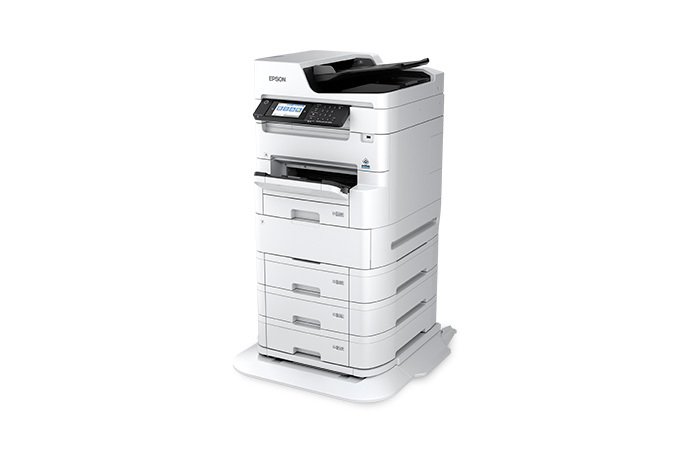
Paper handling starts with a 250-sheet front tray and 150-sheet rear feed. For departments that routinely run longer jobs or multiple paper types, three optional 500-sheet trays can raise total input capacity to 1,900 sheets.
  • Individual DURABrite Pro pigment ink packs
  • High-capacity T05A and extra-high-capacity T05B supply options
  • Rear feed supports specialty media and larger sheets
  • Optional trays help separate letter, legal, ledger, and other frequently used media

Ask about configuration and suppliesInk & toner services

Epson WorkForce Pro WF-C879R with optional paper trays

Why Consider The WF-C879R

Built around the jobs a shared office MFP actually has to handle

The strongest case for the WF-C879R is not one headline specification—it is the combination of wide-format printing, high-volume supplies, scanning performance, and network flexibility.

Scanning and connectivity for document-heavy teams

Standard connections include SuperSpeed USB, Gigabit Ethernet, wireless LAN, and Wi-Fi Direct. Epson also supports mobile printing through Epson Connect and Apple AirPrint. For more advanced environments, the device supports network security features such as SSL/TLS, IPsec, user access controls, and PIN-based job release.
  • 50 ppm simplex / 100 ipm duplex scanning
  • Scan to PC, cloud, email, memory device, and password-protected PDF
  • Gigabit Ethernet, Wi-Fi, Wi-Fi Direct, and SuperSpeed USB
  • User access control, PIN job release, SSL/TLS, and IPsec support

Discuss network requirements

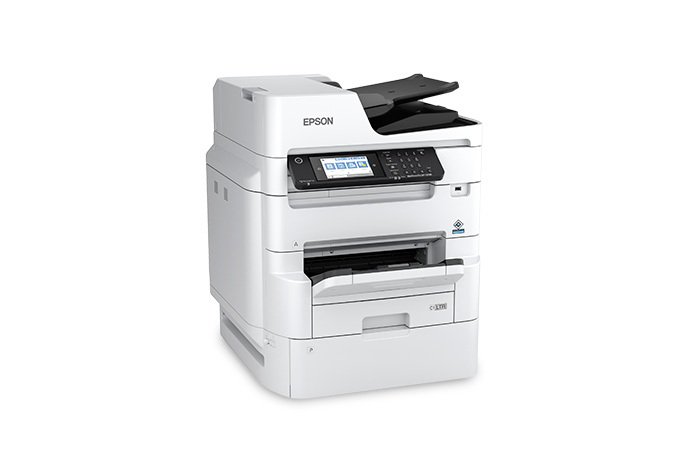
Epson WorkForce Pro WF-C879R multifunction printer

Key Specifications

WF-C879R at a glance

Print & Copy

  • Manufacturer model: C11CH35201
  • PrecisionCore Heat-Free 4-color inkjet
  • 26 ISO ppm black / 25 ISO ppm color
  • 18 ISO ppm black / 17 ISO ppm color duplex
  • 24 ISO cpm black / 23 ISO cpm color
  • 4800 × 1200 optimized dpi maximum print resolution

Scan & Paper

  • 150-sheet automatic document feeder
  • 50 ppm simplex / 100 ipm duplex scan speed
  • 17" × 11.7" scan bed
  • Print media up to 13" × 19"
  • 400-sheet standard input capacity
  • Up to 1,900 sheets with optional trays

Workgroup & Network

  • Recommended monthly print volume: up to 10,000 pages
  • Maximum monthly duty cycle: up to 75,000 pages
  • 5" tilting color touchscreen
  • PCL 5 / PCL 6 / PostScript 3 emulation
  • Gigabit Ethernet, Wi-Fi, Wi-Fi Direct, USB
  • Built-in HDD and enterprise-oriented security controls

Who is the WF-C879R a strong fit for?

It can be especially attractive for schools, offices, nonprofits, professional firms, healthcare environments, and other teams that regularly handle mixed-size documents. The best fit still depends on your actual monthly volume, paper mix, color usage, finishing requirements, network environment, and service expectations.

  • Workgroups that routinely print or copy 11 × 17 documents
  • Teams with heavy duplex scanning and document-capture workloads
  • Organizations that want longer intervals between ink-pack changes
  • Offices that need PCL/PostScript and business network integration
  • Buyers comparing a workgroup inkjet MFP with a traditional laser copier

Talk through your applicationPrinter & copier sales

When to consider a different platform

  • Need higher speed? Compare the Epson WorkForce Enterprise lineup.
  • Only need letter/legal? A smaller WorkForce Pro model may be more economical.
  • Need stapling, booklet or other finishing? Review the configuration before selecting the platform.

Buy the machine with a plan for what happens after installation

We can review page volume, paper sizes, black-versus-color usage, scanning workflows, network requirements, ink-pack capacity, service expectations, and whether the WF-C879R is the right size for your office. We also support printer repair, managed print, ink and toner programs, and other business-printing needs throughout our local service area.
Request information or a quote

Low-cost Epson Color Printers That Streamline Workflow Efficiencies

WF-C879R buying questions

Does the WF-C879R print 11 × 17 and 13 × 19?
Yes. Epson lists support for 11" × 17" / A3 media and printing up to 13" × 19". It can also handle user-defined long media through the supported feed path.
How fast does the WF-C879R print?
Epson rates it at 26 ISO ppm in black and 25 ISO ppm in color. Automatic two-sided printing is rated at 18 ISO ppm black and 17 ISO ppm color.
How much should this printer run each month?
Epson lists a maximum duty cycle of up to 75,000 pages per month, but recommends up to 10,000 pages per month for best device performance. The maximum duty cycle should not be treated as the normal target workload.
How large are the ink packs?
T05A high-capacity packs are rated up to 20,000 ISO pages per color. T05B extra-high-capacity packs are rated up to 86,000 black and 50,000 color ISO pages. Actual yield varies considerably with page content, settings, color use, maintenance, and operating conditions.
Does the WF-C879R support business network environments?
Yes. It includes Gigabit Ethernet, Wi-Fi, Wi-Fi Direct, PCL and PostScript emulation, Epson Print Admin support, Epson Open Platform capability, and security features including access controls, PIN job release, SSL/TLS, and IPsec.
Can One Source Imaging help compare this with another Epson model?
Yes. The most useful comparison is based on your actual paper sizes, volume, speed, scanning, finishing, supply cost, and service requirements. We can compare the WF-C879R with smaller WorkForce Pro models or larger WorkForce Enterprise systems.

Considering the Epson WF-C879R?

Important product notes

Epson states that the WF-C879R is designed for use with Epson ink packs. Product specifications, software support, available accessories, and manufacturer programs can change. Confirm the current configuration and requirements before purchase.